EByte Use Example Checking a Folder of Recordings in a Shell Script
Most of the time nobody opens a binary file by hand. Files arrive from devices, uploads and exports, and something has to decide which ones are fine before anything else reads them. EByte’s exit codes and one-line diagnostics are built for that job, so this example puts the released ebyte 0.1.1 binary in a short shell loop over a folder of audio recordings.
The folder holds seven .wav files of the kind a small sensor setup might collect overnight. Four are good recordings made with Python’s wave module, at three different sample rates, one of them stereo. The other three are the usual trouble. One upload was cut off at 5,000 bytes, one file is a text log someone saved with a .wav name, and one has four extra bytes after the audio where a recorder started writing a metadata chunk.
The Script
It uses the schema from the WAV case study and nothing else besides a little Python to pick fields out of JSON:
#!/bin/sh
# Check every recording against the schema; print one line per file.
for f in recordings/*.wav; do
  err=$(./ebyte inspect --schema wav.schema.json --input "$f" --max-input-bytes 1048576 2>&1 >/dev/null)
  case $? in
    0) rate=$(./ebyte decode --schema wav.schema.json --input "$f" | python3 -c 'import json,sys; v=json.load(sys.stdin)["values"]; print(v["sample_rate"], v["channels"])')
       echo "ok      $f  $rate" ;;
    2) echo "broken  $f  $(echo "$err" | python3 -c 'import json,sys; d=json.load(sys.stdin); print(d["code"], d["path"], "offset", d["offset"])')" ;;
    4) echo "toobig  $f" ;;
    *) echo "error   $f" ;;
  esac
done
inspect does the checking. Its trace goes to /dev/null and its diagnostic, if there is one, is kept from standard error. The exit code does the sorting: 0 means the file matches the schema, 2 means it doesn’t, 4 means it hit a size ceiling and anything else is an I/O problem. For good files, decode pulls out the two values worth logging.
What It Printed
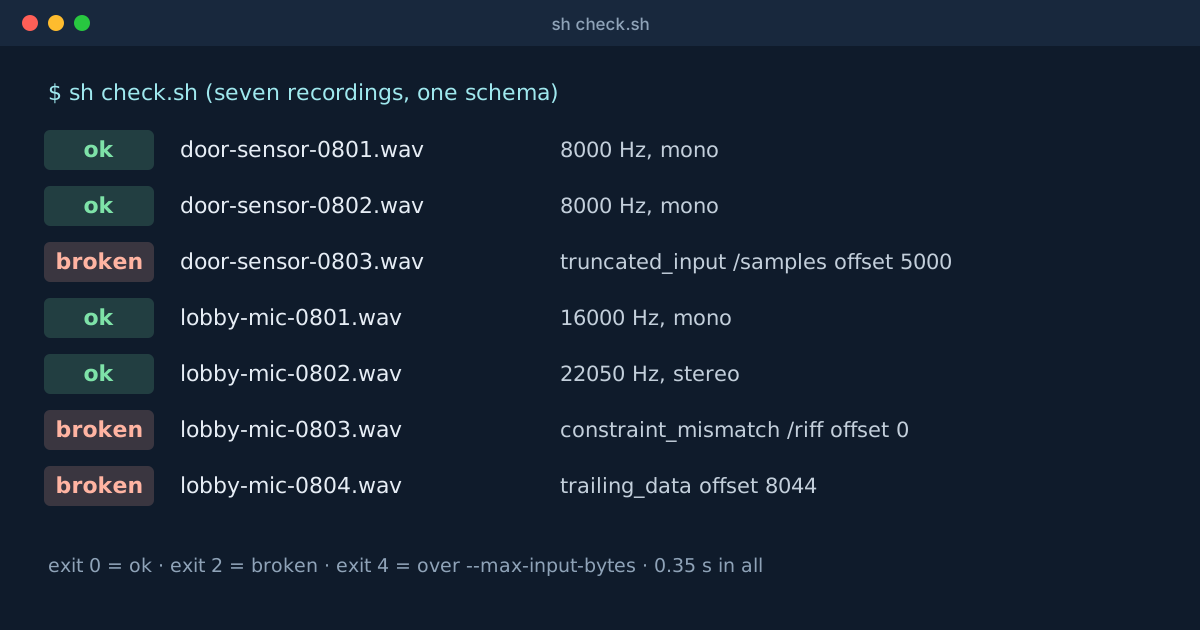
ok      recordings/door-sensor-0801.wav  8000 1
ok      recordings/door-sensor-0802.wav  8000 1
broken  recordings/door-sensor-0803.wav  truncated_input /samples offset 5000
ok      recordings/lobby-mic-0801.wav  16000 1
ok      recordings/lobby-mic-0802.wav  22050 2
broken  recordings/lobby-mic-0803.wav  constraint_mismatch /riff offset 0
broken  recordings/lobby-mic-0804.wav  trailing_data  offset 8044
Every line is right. The cut-off upload ran out of bytes inside the samples at exactly the file’s length. The text log failed on its first four bytes, which should have spelled RIFF. The file with the extra chunk was complete audio plus something EByte wasn’t told about, starting at byte 8,044, and EByte reported it instead of ignoring it. Whether that’s a real problem depends on your recorders, but now it’s a decision someone makes instead of something nobody noticed. The trailing_data line has two spaces in it because the problem belongs to the whole file, so the path is empty.
The whole folder took about a third of a second, two EByte runs per good file.
A Size Ceiling
--max-input-bytes puts a hard cap on how much of any file EByte will read. Lowering it to 10,000 bytes moved the 17,684-byte stereo recording from ok to toobig with exit 4. Its diagnostic said limit_exceeded at /samples, offset 44: EByte read the header, saw that the samples would go past the ceiling and stopped before reading any of them. On a folder fed by uploads, that’s the line that keeps one enormous file from tying up the checker.
Making It Your Own
Three things make this pattern work for any format:
- The schema is the whole definition of “valid”. Tightening it with an
expecton, say,channelsturns every stereo file into aconstraint_mismatchwith no change to the script. - The diagnostic is safe to log. It holds a code, a field path and byte positions, never the file’s contents.
- The exit codes are stable, so the
casestatement can stay as it is when EByte is upgraded.
The same loop works in CI to check test fixtures, in a cron job over an upload folder, or in front of a parser that’s less forgiving than EByte. The command reference lists every exit code and limit flag, and the BMP case study shows a second schema you could drop into the same script.